

Multiple cards in one widget
Use one Home Screen widget for several frequent loyalty cards instead of one fixed code.
RooCards feature · UK
RooCards switchable barcode widgets let iPhone users keep multiple checkout codes in one Home Screen widget. This version uses UK English for the same RooCards workflow.
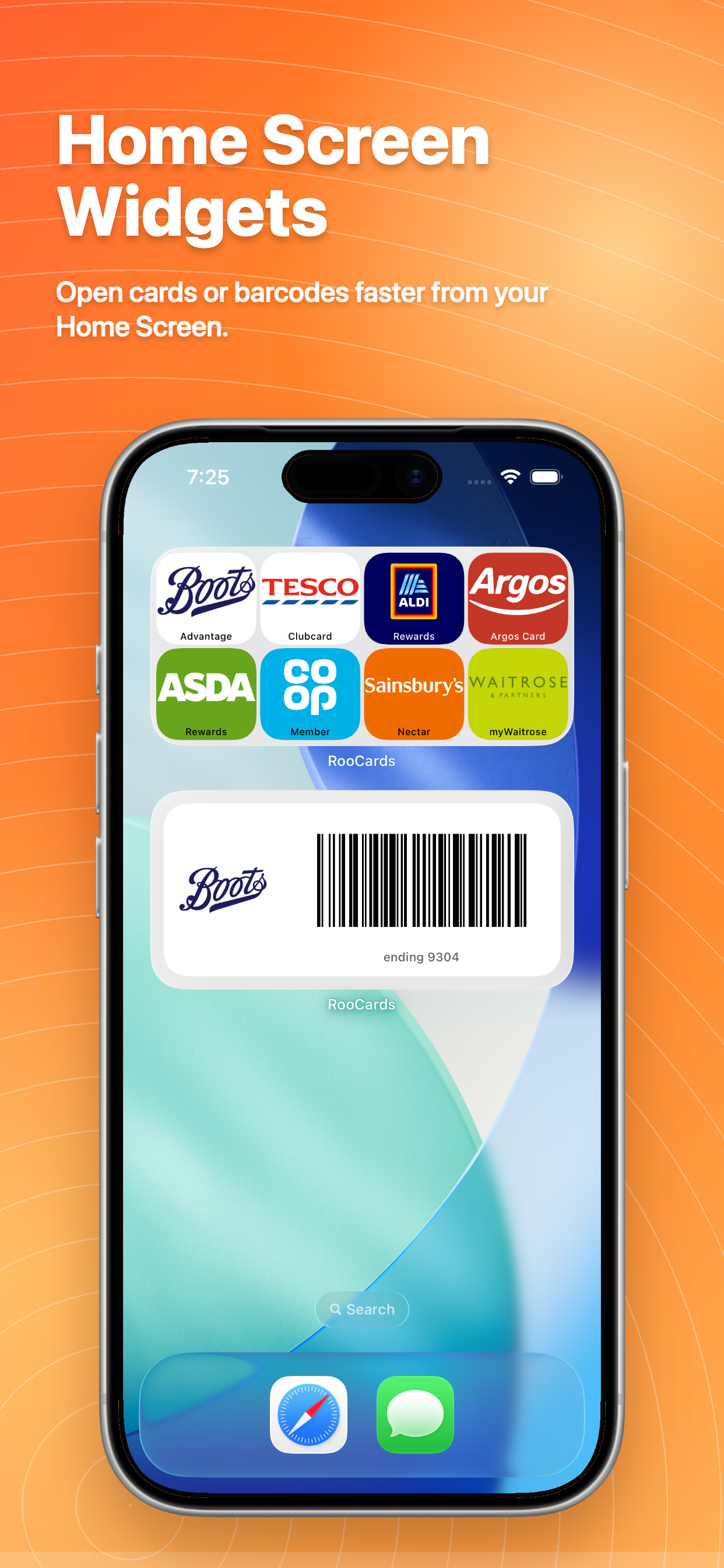
Open the right card quickly when you are at checkout, checking in, or showing a membership code.
Use one Home Screen widget for several frequent loyalty cards instead of one fixed code.
Choose a compact 4-card medium widget or a large 24-card setup with paging.
Switch the active barcode or QR code from the widget without opening the full app first.
Use one wallet for store cards, rewards cards, membership cards, barcodes, QR codes, and occasional passes.
RooCards keeps store cards, loyalty cards, membership cards, barcodes, and QR codes ready in an iPhone-first wallet, with a basic Android version available.
Compare card-grid widgets, scan-ready widgets, pinned cards, and Spotlight access. Localised for UK readers.
Learn how to add RooCards widgets and choose what each widget shows. Localised for UK readers.
Store barcodes, QR codes, rewards cards, memberships, and vouchers in RooCards. Localised for UK readers.
See the iPhone card wallet experience with widgets, Spotlight, and Apple Wallet support. Localised for UK readers.
Create eligible Apple Wallet passes from cards saved in RooCards. Localised for UK readers.
Download RooCards to keep loyalty cards, QR codes, and checkout barcodes close to your iPhone Home Screen. Available from App Store and Google Play where supported.